Rendering学習日記

日々、3DCGの世界は進歩しています。勉強して理解したことをまとめていきます。RenderMan互換レンダラーやグローバル・イルミネーション。いろんなことに好奇心を持って、面白くなる。目指せShader書き!!
ありがとうございます。

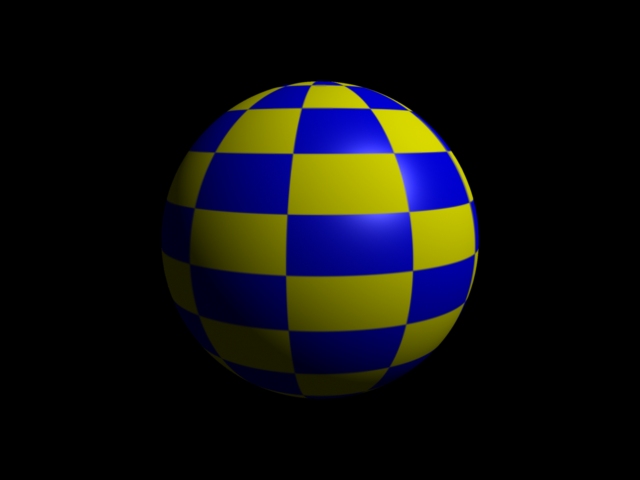
checkerの色を変更する


#sphere_check.pyg
Output ("sphere_check.tif", "tiff", "rgb", "camera", "float gain", 1, "float gamma",
1, "string filter", "gaussian", "float[2] filterwidth", (2, 2))
Attribute ("string projection", "perspective")
Attribute ("float fov", 45)
Attribute ("int[2] resolution", (640, 480))
Light ("light1", "ambientlight", "float intensity", 0.1)
Light ("light2", "distantlight", "point from", (1, 1, -1), "point to", (0, 0, 0)
, "float intensity", 1.5)
Rotate (-10.14, 1, 0, 0)
Rotate (26.57, 0, 1, 0)
Translate (-5, -2, 10)
World ()

ShaderGroupBegin ()
Attribute ("color C", (1, 1, 0))
Shader ("surface", "checker", "checklayer","float stilesize",0.1,"float ttilesize",0.1,"color color2", ( 0, 0, 1 ))
Shader ("surface", "plastic", "plasticlayer")
ConnectShaders ("checklayer", "Cout", "plasticlayer", "C")
ConnectShaders ("checklayer", "fout", "plasticlayer", "Ks")
ShaderGroupEnd ()
Rotate (90, 1, 0, 0)
Sphere (3, -3, 3, 360)
Render()


sphere_check.jpg
  • -
  • -

NVIDIA Gelatoでcheckerを利用する

Shaderをレイヤーで合わせることができるから、ちょっと面白いかも。
とりあえず、繰り返し処理はfor文を使う。

#box_check.pyg
Output ("box_check.tif", "tiff", "rgb", "camera", "float gain", 1, "float gamma",
1, "string filter", "gaussian", "float[2] filterwidth", (2, 2))
Attribute ("float shadingquality",1.2)
Attribute ("string projection", "perspective")
Attribute ("float fov", 20)
Attribute ("int[2] resolution", (640, 480))
#placecam 10 5 -10 0 0 0
Rotate (-19.47, 1.00, 0.00, 0.00)
Rotate (45.00, 0.00, 1.00, 0.00)
Translate (-10.00, -5.00, 10.00)

#Attribute ( "int ray:shadows", 0 )
Attribute ("string geometryset", "+shadows")
Attribute ("string geometryset", "+reflection")

World ()
Light ("light1", "pointlight", "float intensity", 400, "point from", (-10, 10, -10),"string shadowname", "shadows")
Light ("light2", "pointlight", "float intensity", 400, "point from", (10, 10, -10),"string shadowname", "shadows")

PushTransform ()
Attribute ("color C", (0.2, 0.4, 0.75))
Sphere (100, -100, 100, 360)
PopTransform ()

for i in range(5):
PushTransform ()
Attribute ("color C", (1, 1, 1))
Shader ( "surface", "metal","string envname","reflection" )
#Shader ("surface", "plastic")
i=1.2*i
Translate ( 0, 0.5, i-2)
Input ("BoxGeom.rib")
PopTransform ()


Attribute ("color C", (1, 1, 1))
Rotate (90.00, 1.00, 0.00, 0.00)
ShaderGroupBegin ()
Shader ("surface", "checker","layer1","float stilesize", .1, "float ttilesize", .1)
Shader ("surface", "plastic", "layer2")
ConnectShaders ("layer1", "Cout", "layer2", "C")
ShaderGroupEnd ()
Input("PlaneGeom.rib")
Render()
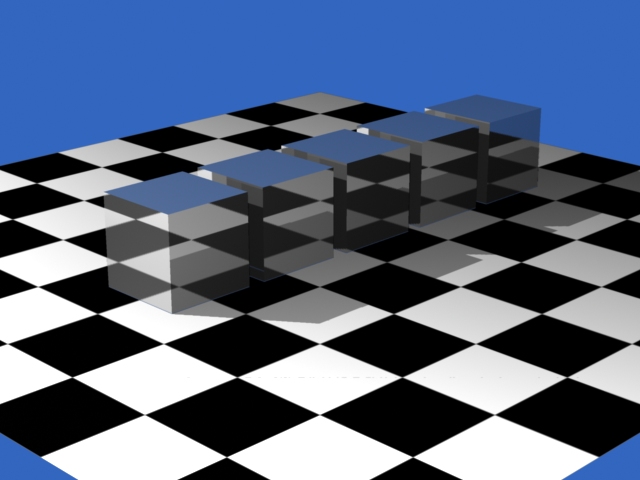
box_check.jpg
  • -
  • -

NVIDIA Gelatoでアンビエント・オクルージョン

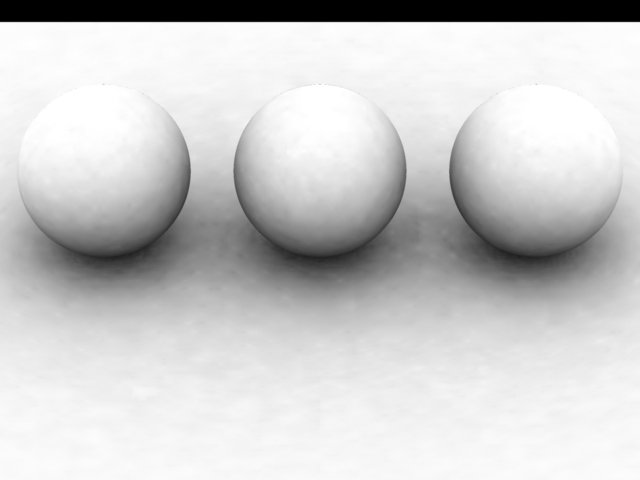
まず、AO(ambient-occlusion)を求める。
#sphere32ao.pyg

Attribute ("int ray:maxdepth", 1)

Output ("sphere32ao.tif", "tiff", "rgb", "camera", "float gain", 1, "float gamma",
1, "string filter", "gaussian", "float[2] filterwidth", (2, 2))
Attribute ("float shadingquality",2)
Attribute ("string projection", "perspective")
Attribute ("float fov", 13)
Attribute ("int[2] resolution", (640, 480))
#placecam -20 15 0 0 0 0
Rotate (-36.87, 1.00, 0.00, 0.00)
Rotate (-90.00, 0.00, 1.00, 0.00)
Translate (20.00, -15.00, 0.00)

Attribute ("string occlusion:spatialdb", "occ.sdb");
Attribute ("string spatialdb:write", "occ.sdb");

World ()
Shader ("surface", "ambocclude", "string occlusionname", "localocclusion", "float samples", 256, "float bias", 0.01)

Attribute ("string geometryset", "+localocclusion")
Attribute ("float occlusion:maxpixeldist", 20)
Attribute ("float occlusion:maxerror", 0.25)

PushTransform ()
Attribute ("color C", (1, 1, 0.25)) #yellow
Translate ( 0, 1, 0)
Sphere (1, -1, 1, 360)
PopTransform ()

PushTransform ()
Attribute ("color C", (0.25, 0.25, 1)) #blue
Translate ( 0, 1, 2.5)
Sphere (1, -1, 1, 360)
PopTransform ()

PushTransform ()
Attribute ("color C", (1, 0.25, 0.25)) #red
Translate ( 0, 1, -2.5)
Sphere (1, -1, 1, 360)
PopTransform ()

Attribute ("color C", (1, 1, 1))
Rotate (90.00, 1.00, 0.00, 0.00)
Input("PlaneGeom.rib")
Render()

sphere3_ao.jpg

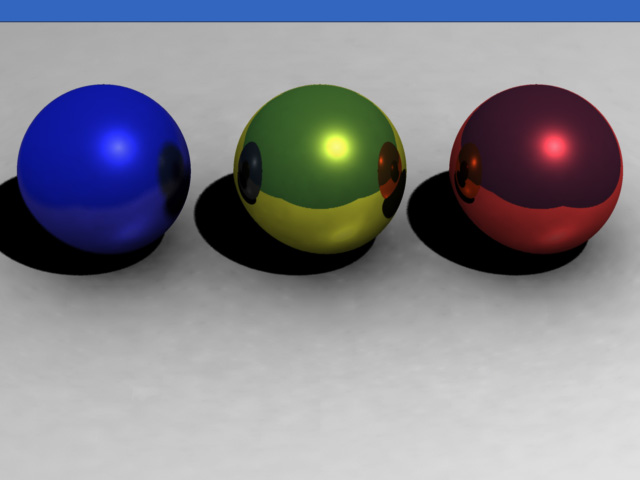
つづいて、Photoshopでレイヤーに入れて乗算処理する。
sphere3_multi.jpg
  • -
  • -
<< 152/184 >>