Cgkitでレンダリング
- python cgkit
- by yuichirou yokomakura
- 2007.06.14 Thursday 15:05
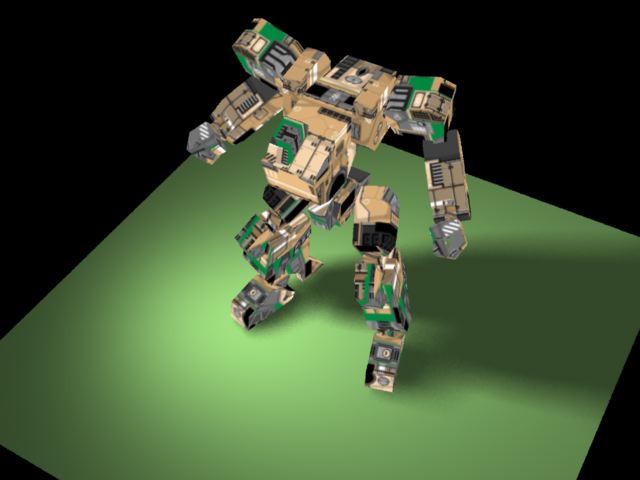
メタセコイアのサンプルメカはUVマップされているので,
OBJで出力し,cgkitで記述してみる。
オブジェクトごとに指定してあげれば大丈夫。
------------------------------------------------
load("meka.obj")
meka01 = worldObject("body01")
floor = worldObject("obj1")
mat_meka01 = GLMaterial(
diffuse = (0.9,0.9,1),
texture = GLTexture("00tex_master.BMP",
mode = GL_DECAL,
transform = mat4().scaling(vec3(1,-1,1)))
)
meka01.setMaterial(mat_meka01)
mat_floor = GLMaterial(diffuse=(0.5,0.7,0.4))
floor.setMaterial(mat_floor)
----------------------------------------------
ライトも半影になるようにしてみる。
# ...and a spot light
lgt = GLTargetSpotLight(
pos = (-500,500,300),
target = (0,0,0),
cutoff=90.0,
exponent = 4,
intensity = 1.2
)
# The following line is used by the RenderMan exporter to create a shadow
# map. The value is a tuple (map resolution, width, blur, bias, samples)
lgt.shadowmap = (512, 1.0, 0.02, 0.02, 32)
# Create a distant light (that does not cast shadows)
GLTargetDistantLight(
pos = (-5,300,40),
target = (0,0,0),
intensity = 0.4
)
----------------------------------------------------------------
OBJで出力し,cgkitで記述してみる。
オブジェクトごとに指定してあげれば大丈夫。
------------------------------------------------
load("meka.obj")
meka01 = worldObject("body01")
floor = worldObject("obj1")
mat_meka01 = GLMaterial(
diffuse = (0.9,0.9,1),
texture = GLTexture("00tex_master.BMP",
mode = GL_DECAL,
transform = mat4().scaling(vec3(1,-1,1)))
)
meka01.setMaterial(mat_meka01)
mat_floor = GLMaterial(diffuse=(0.5,0.7,0.4))
floor.setMaterial(mat_floor)
----------------------------------------------
ライトも半影になるようにしてみる。
# ...and a spot light
lgt = GLTargetSpotLight(
pos = (-500,500,300),
target = (0,0,0),
cutoff=90.0,
exponent = 4,
intensity = 1.2
)
# The following line is used by the RenderMan exporter to create a shadow
# map. The value is a tuple (map resolution, width, blur, bias, samples)
lgt.shadowmap = (512, 1.0, 0.02, 0.02, 32)
# Create a distant light (that does not cast shadows)
GLTargetDistantLight(
pos = (-5,300,40),
target = (0,0,0),
intensity = 0.4
)
----------------------------------------------------------------
- -
- -