復習の意味で、pygをいじってみる。
# sphere_test2.pyg


PushTransform ()

Scale(1, 1, -1)

Rotate (30, 1, 0, 0)

Rotate (5, 0, 1, 0)

Translate (0, 0, -20)

Camera ("main", "int[2] resolution", (640, 480), "string projection", "perspective", "float fov", 45)

PopTransform ()


Output ("sphere_test.tif", "tiff", "rgb", "main", "float gain", 1, "float gamma", 1, "string filter", "gaussian", "float[2] filterwidth", (2, 2))


Attribute ("string geometryset", "+shadows")


Light ("light1", "ambientlight", "float intensity", 0.1)

Light ("light2", "pointlight", "point from", (10, 10, -10), "float intensity", 800, "string shadowname" ,"shadows")

#Light ("light2", "distantlight", "point from", (1, 1, -1), "point to", (0, 0, 0), "float intensity", 1.2, "string shadowname" ,"shadows")


World ()


Attribute ("color C", (1, 0, 0))

Shader ("surface", "plastic")

PushTransform ()

Translate (0, 2, 0)

Sphere (2, -2, 2, 360)

PopTransform ()


PushAttributes ()

Attribute ("color C", (1, 1, 1))

Shader ("surface", "matte")

PushTransform ()

Scale (100, 0.5, 100)

PushTransform ()

Scale (1, 1, 1)

Patch ("linear", 2, 2, "vertex point P", (0.5, 0.5, 0.5, 0.5, 0.5, -0.5, 0.5, -0.5, 0.5, 0.5, -0.5, -0.5))

Rotate (90, 0, 0, 1)

Patch ("linear", 2, 2, "vertex point P", (0.5, 0.5, 0.5, 0.5, 0.5, -0.5, 0.5, -0.5, 0.5, 0.5, -0.5, -0.5))

Rotate (90, 0, 0, 1)

Patch ("linear", 2, 2, "vertex point P", (0.5, 0.5, 0.5, 0.5, 0.5, -0.5, 0.5, -0.5, 0.5, 0.5, -0.5, -0.5))

Rotate (90, 0, 0, 1)

Patch ("linear", 2, 2, "vertex point P", (0.5, 0.5, 0.5, 0.5, 0.5, -0.5, 0.5, -0.5, 0.5, 0.5, -0.5, -0.5))

Rotate (90, 0, 1, 0)

Patch ("linear", 2, 2, "vertex point P", (0.5, 0.5, 0.5, 0.5, 0.5, -0.5, 0.5, -0.5, 0.5, 0.5, -0.5, -0.5))

Rotate (180, 0, 1, 0)

Patch ("linear", 2, 2, "vertex point P", (0.5, 0.5, 0.5, 0.5, 0.5, -0.5, 0.5, -0.5, 0.5, 0.5, -0.5, -0.5))

PopTransform ()

PopTransform ()

PopAttributes ()


Render ()
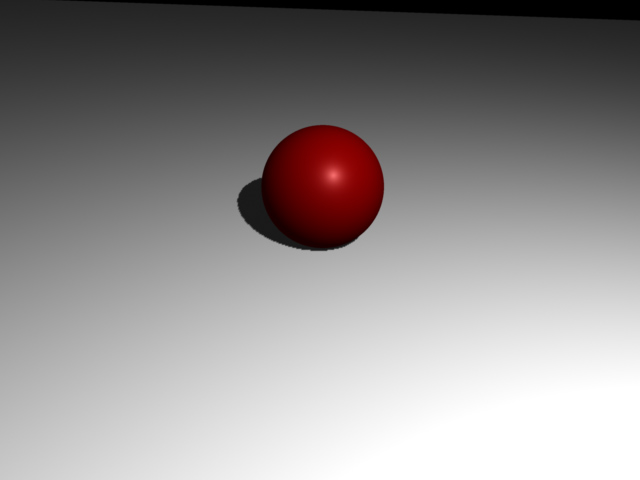
いろいろと試してみることが大切です。
ありがとうございます。